
Select the model you want to generate your image with.
Add Date to Photo Online Free With Bylo.ai
Add clear date stamps and photo timestamps to your images in seconds for memories, records, travel photos, and everyday documentation.

Your Generated Images
How to Add Date to Photo Free on Bylo.ai
Follow these simple steps to get started with our platform.
Upload the Photo You Want to Edit
Upload the image you want to work with, whether it is a travel photo, daily snapshot, work record, or personal memory. A clear original image helps the added date look more natural in the final result while keeping the subject, background, and overall composition visually balanced.
Enter the Date or Timestamp Style
Type the date, timestamp, or the overall date style you want to add to the image. You can enter a classic camera-style date stamp, a clean corner timestamp, a simple modern date mark, or a subtle documentary-style look, so the final result feels better matched to the photo.
Generate and Save the Final Photo
After entering the date style, generate the final image and let Bylo.ai place the date on the photo automatically. The finished result can make your image feel more organized and easier to use for travel memories, daily records, project tracking, or other photos that need a clear visible date.
Key Features of Add Date to Photo on Bylo.ai
Add Date to Photo Online Free with Less Manual Editing
Bylo.ai helps users add date to photo online free in a more direct way, without depending on complicated text layers, repeated adjustments, or a slow editing workflow. This makes it easier to create date-marked images for travel photos, daily snapshots, visual records, and other everyday uses where a clear time reference matters.
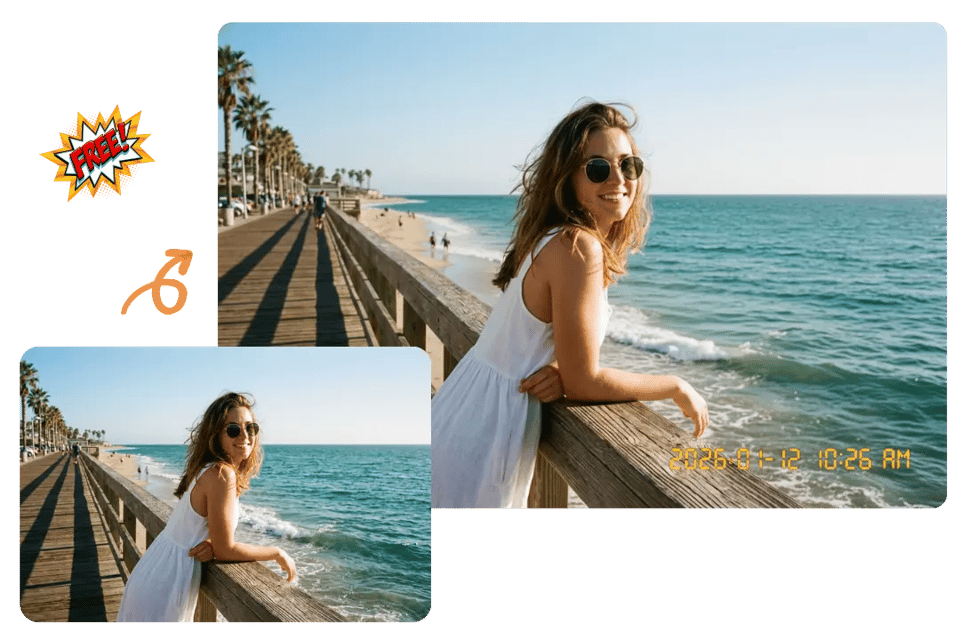
Keep the Image Clean When You Add Date Stamp to Photo
A visible date should support the image instead of taking attention away from it. With Bylo.ai, users can add date stamp to photo while keeping the subject, background, and overall composition easier to read, so the final result feels more organized, more natural, and more visually balanced.
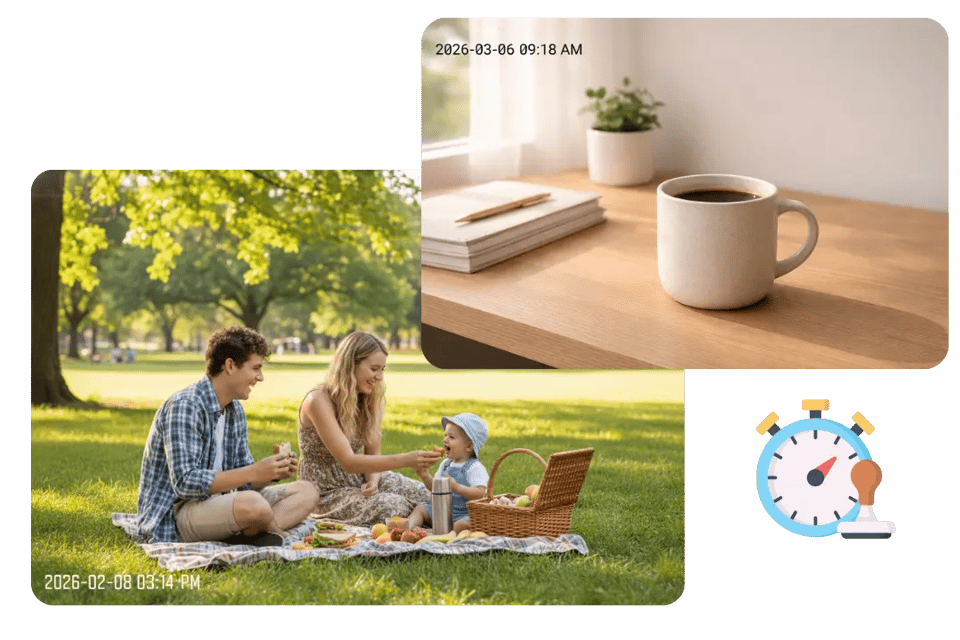
Create More Flexible Results with a Photo Date Stamper
Different photos need different timestamp styles, and Bylo.ai gives users a more flexible photo date stamper experience for that reason. Whether the image works better with a classic camera-style date, a clean corner timestamp, or a subtle documentary-style mark, Bylo.ai makes it easier to generate a look that fits the photo more naturally.
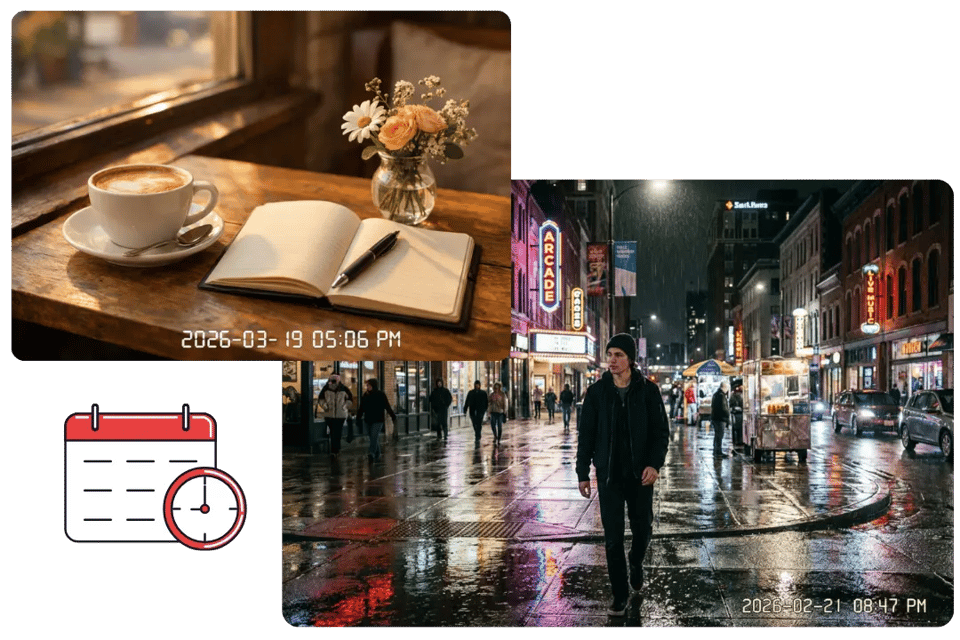
Customize Date Stamp on Photos for Different Image Needs
Some images are meant for memory keeping, while others are used for project tracking, work documentation, or daily organization. Bylo.ai lets users customize date stamp on photos for different scenes and purposes, making the tool more useful when the final image needs both visual clarity and a readable date element.

Discover Photo Date Stamper Styles with Bylo.ai’s Add Date to Photo Tool
Different photos look better with different kinds of date marks, so the final result should feel matched to the image instead of using the same timestamp style every time. With Bylo.ai’s Add Date to Photo Tool, users can create Photo Date Stamper styles that feel more suitable for travel memories, work records, daily snapshots, lifestyle images, and other photo types that need a clear but visually fitting date element.

Orange Film Camera Date Stamp for Travel Memory Photos
A small orange date stamp can give travel photos a more nostalgic and time-marked feeling, similar to the timestamp look often seen in old digital camera images. It fits especially well in the lower corner of beach shots, street photography, outdoor portraits, and vacation pictures, helping the photo feel more vivid, memory-driven, and tied to a specific moment.

White Corner Date Stamp for Clean Everyday Pictures
A white corner date stamp works well for photos that need a visible date while still keeping the overall image light, simple, and uncluttered. Bylo.ai can create this look for daily snapshots, family photos, pet pictures, and casual lifestyle images where the date stays readable without taking too much attention away from the main scene.

Date and Time Overlay for Work Record Photos
Adding both the date and time can make a photo feel more practical and easier to reference later. Bylo.ai can generate this kind of overlay for project tracking, inspections, repair records, logistics images, and other documentation-focused photos where stronger time detail helps the image feel more organized and more useful as a record.
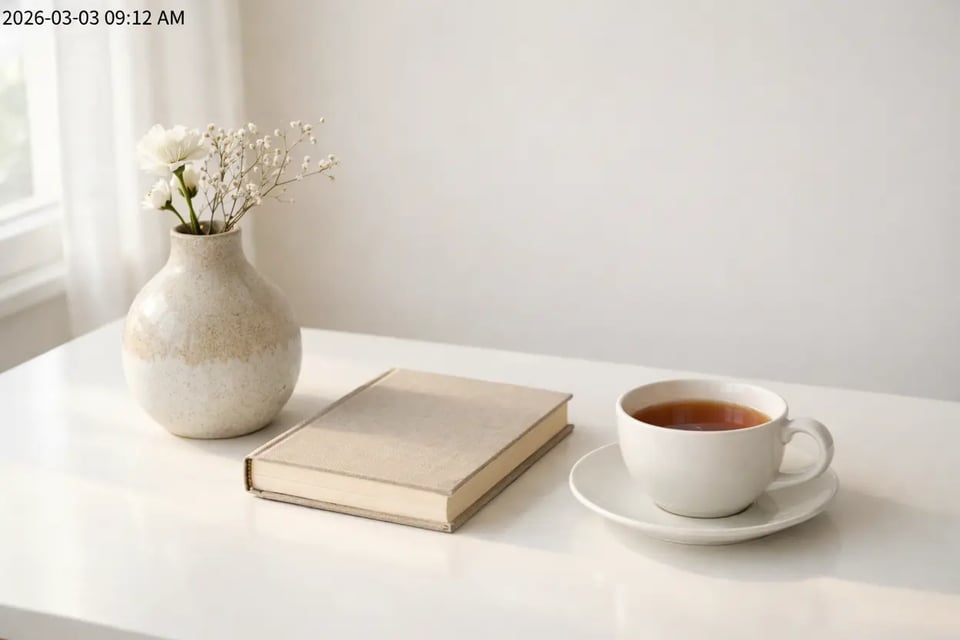
Small Black Date Mark for Bright Background Images
A small black date mark is often easier to read on photos with bright walls, pale skies, white desks, or other light background areas. Bylo.ai can use this approach for indoor photos, product images, desk scenes, and minimal lifestyle shots where a darker timestamp gives the image better contrast without making the result feel heavy.

Soft Documentary Timestamp for Lifestyle Storytelling Photos
A soft documentary timestamp suits photos that need a visible date but still want to keep a natural and understated mood. Bylo.ai can create this look for café photos, candid portraits, home moments, visual diary images, and other storytelling content where the date should feel quietly integrated into the photo instead of standing out too strongly.

Retro Handheld Camera Date Style for Vintage-Looking Images
A retro handheld camera date style gives the image a stronger old-camera feeling through a compact numeric date format and a more vintage visual mood. Bylo.ai can create this look for throwback portraits, vintage-inspired street shots, memory posts, and travel photos where the date stamp adds both decorative character and a clearer sense of time.
Why Choose Bylo.ai’s Add Date Stamp to Photo Tool
Free Trial to Add Date Stamp to Photo with Less Pressure
Bylo.ai offers a more accessible way to try Add Date Stamp to Photo features without making the process feel heavy or complicated from the start. A free trial is useful for users who want to test different date stamp looks, explore timestamp placement, and see how the final image feels before spending more time on additional edits.
Simple Add Date to Photo Editing for Everyday Use
A date stamp tool should feel easy to use, especially for everyday photos that do not need a complicated editing workflow. Bylo.ai keeps the Add Date to Photo process more straightforward, so users can upload an image, enter the date details they want, and create a clearer final result with less friction.
More Than One Image Editor for Broader Photo Needs
Bylo.ai is not limited to a single Add Date to Photo experience. In addition to date stamp creation, users can continue editing with multiple image editor tools on Bylo.ai for cropping, resizing, cleanup, enhancement, background changes, and other visual adjustments, making it easier to handle more of the photo editing workflow in one place.
Flexible Image Editor Access for Different Visual Tasks
Different photos often need more than one type of adjustment after adding a date, and that is where Bylo.ai becomes more useful as a broader image editor platform. Users can move from date stamping to other image editor tools based on the photo’s needs, whether the goal is a cleaner layout, sharper detail, better composition, or a more polished final image.